
Vendor and purchase activity is hard to track
Purchase orders, supplier details and partner information can sit outside the same flow as sales and inventory.
BusinessDesk helps wholesale and distribution businesses manage vendors, purchase orders, inventory movement, customer orders, pricing rules, billing, payments and reports from one connected workspace.
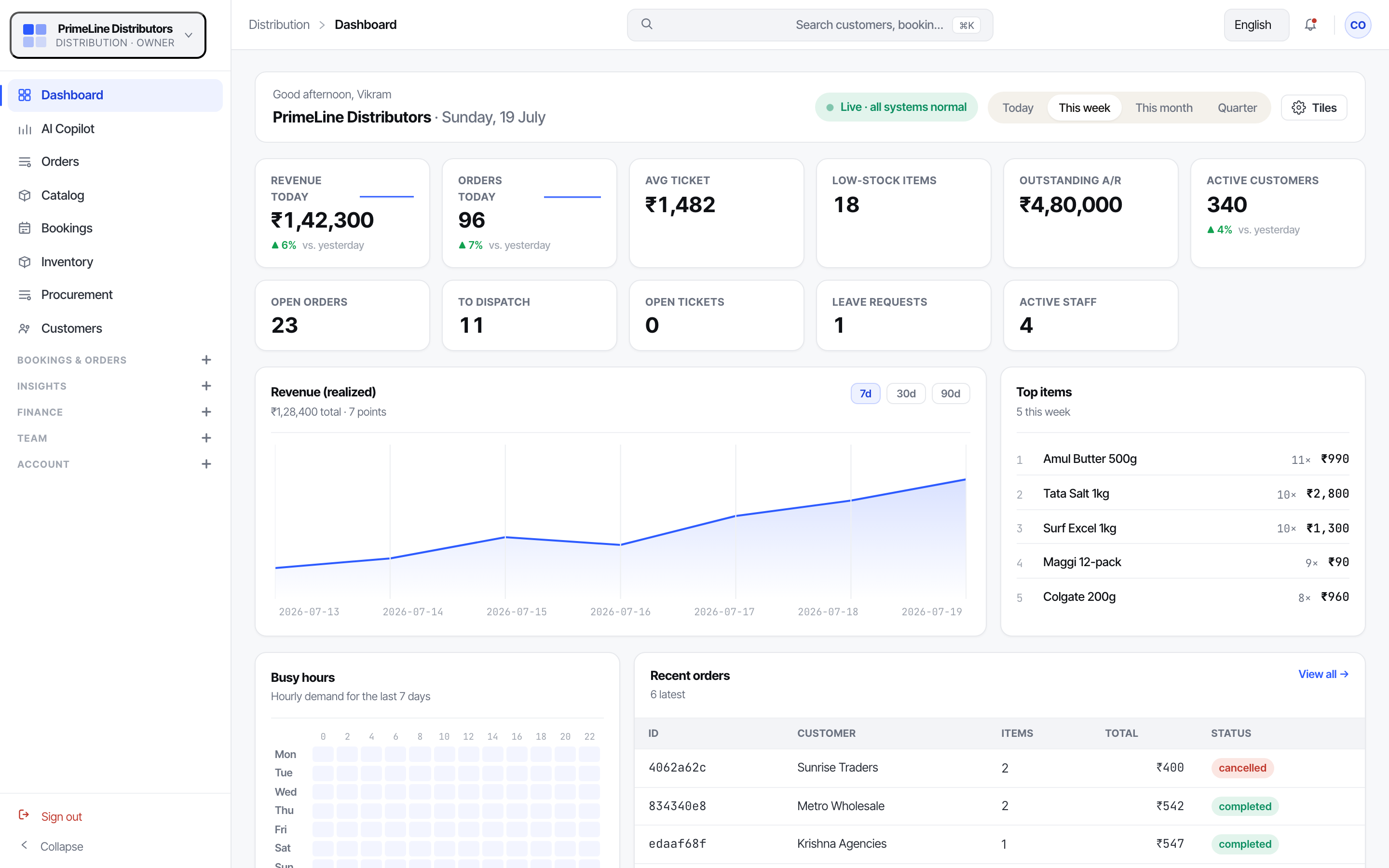
Distributors manage multiple moving parts: customers, vendors, warehouses, purchase orders, bulk pricing, credit, invoices and payment follow-ups. When each part is tracked separately, the business becomes harder to control as volume grows.
Purchase orders, supplier details and partner information can sit outside the same flow as sales and inventory.
Stock may move across locations, but teams may not have a clear view of what is available, transferred or pending.
Bulk pricing, customer-specific rates and surcharges can be difficult to manage consistently without a clear pricing layer.
Customer dues, invoices, receivables and collections become harder to manage when finance is not connected to orders.
It brings vendors, purchase orders, customer orders, billing, stock, warehouse locations, pricing, finance, sales pipeline and reports into one operating view. This helps distributors see what is pending, what needs replenishment and where follow-up is required.
Manage vendors, suppliers, clients, partners and purchase orders as part of the same business workspace.
Use inventory and locations to see stock across branches, warehouses and transfers.
Use pricing rules for tiered rates, bulk pricing and surcharges instead of relying on manual interpretation.
Bring customer orders, invoices, receivables, payments and sales pipeline visibility into one view.
Use staff, workflows, notifications and team workspace to reduce dependency on fragmented communication.
Manage vendor records, purchase orders, suppliers, partners, incoming stock and related payments. This helps distributors keep purchase activity connected to stock availability and financial follow-up.
Track customer orders, billing, invoices, receivables, payments and sales opportunities. This makes it easier to follow the customer journey from enquiry or order to collection.
See stock movement across warehouses, branches and transfers. Workflows help standardize how stock-related activities move from one stage to another.
Maintain product or price-list information, apply tiered or bulk pricing rules and manage surcharges. This reduces confusion when different customers or order sizes need different pricing.
Coordinate staff responsibilities, review performance, send notifications and use analytics or smart assistance to identify pending work, payment follow-ups and stock issues.
These customers have unpaid invoices. Review and follow up today.
This product may need replenishment based on current movement and availability.
A supplier-related purchase order is pending and needs review.
Stock is lower in this location compared to expected demand.
Businesses selling goods in bulk to other businesses or trade customers.
Businesses that need visibility across products, stock, customers and vendors.
Distributors managing stock across branches, warehouses or regional teams.
Start with B2B, inventory, transactions, finance, pricing and locations. Add analytics, workflows, notifications and smart assistance as the distributor needs stronger control over sales, stock and collections.
Yes. B2B covers vendors, suppliers, clients, partners and purchase orders, making it a native fit for distributors.
Yes. Inventory and Locations support stock tracking across branches, warehouses and transfers.
Yes. Pricing supports tiered or bulk pricing rules and surcharges.