
Stock visibility is delayed
Owners and store teams may not know what is available, what is low, which variants are moving and what needs replenishment.
BusinessDesk brings your store operations into one connected workspace. Manage billing, inventory, product variants, customer loyalty, staff, reports and smart alerts without depending on scattered files or end-of-day guesswork.
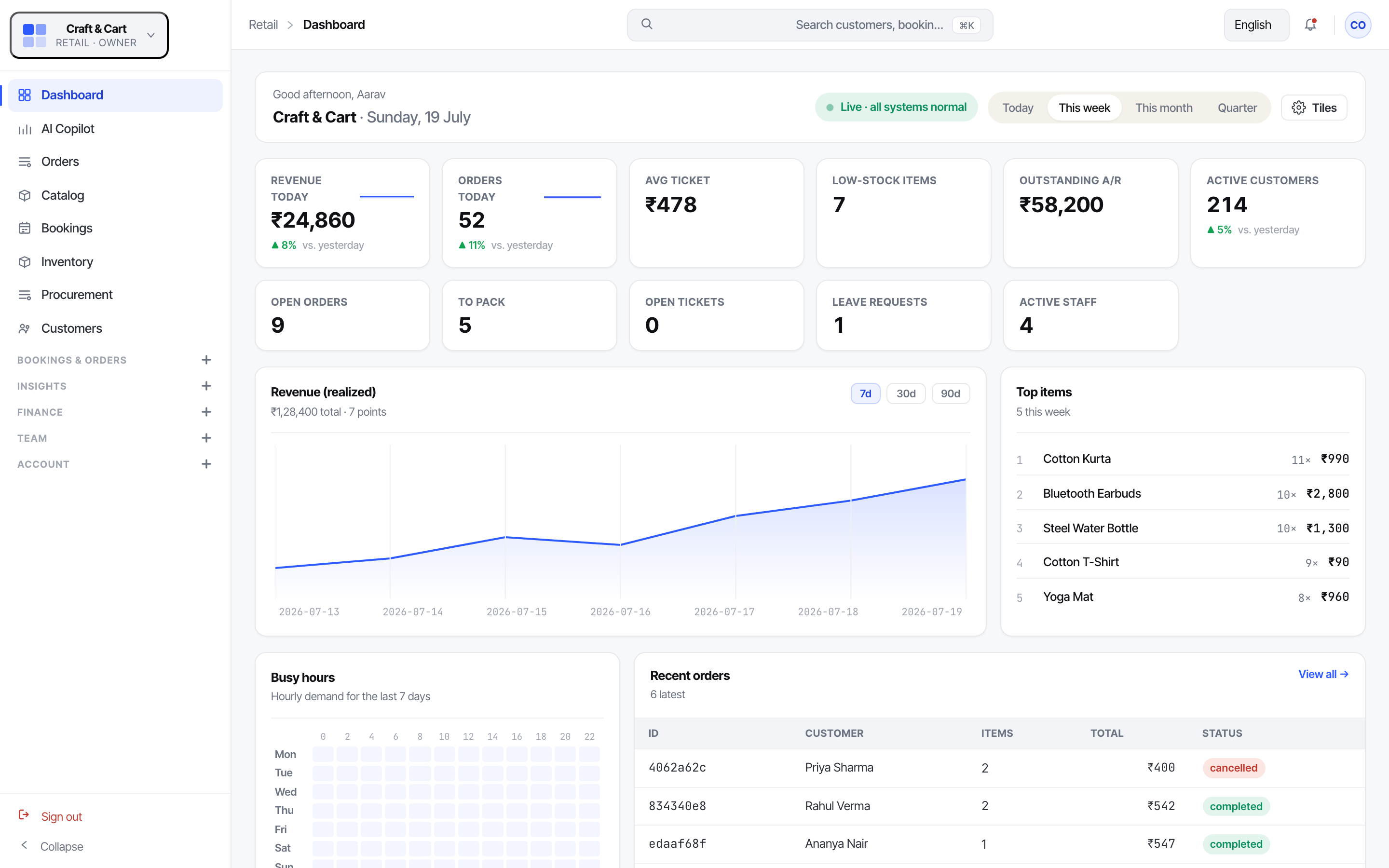
Retail work moves fast. Products sell, stock changes, customers ask for offers, payments need to be recorded and staff need clear responsibilities. When these updates sit across billing tools, notebooks, spreadsheets or memory, the owner only sees the full picture late.
Owners and store teams may not know what is available, what is low, which variants are moving and what needs replenishment.
Billing, payment collection, expenses and receivables can become difficult to reconcile when they are not connected to the same operating view.
Repeat sales, loyalty rewards, promotions and customer engagement become manual activities instead of part of the store workflow.
For multi-store retailers, it becomes difficult to see which location is doing well, where stock is moving and where attention is needed.
It connects the work that happens every day: orders, billing, payments, products, stock, customer engagement, staff activity and reports. Once this data is together, BusinessDesk can also surface alerts, summaries and suggested actions so the owner can act sooner.
Track orders, billing and payment activity from the same workspace, so daily sales and collections are easier to review.
Use catalog, inventory and retail tools to manage products, variants, barcodes and store-level stock snapshots.
Use loyalty, customer engagement, notifications and promotions to keep customers connected after the first sale.
Use staff, shifts, attendance, locations and workflows to bring store operations into a clearer routine.
Use analytics and smart assistance to review what is moving, what is pending and what needs attention.
Manage orders, billing, payment processing, invoices, expenses, receivables and payables. For retailers, this means sales activity and money movement are not treated as separate conversations.
Maintain product details, variants, barcodes, store inventory and stock snapshots. This helps the store owner understand what is available, what is low and what needs to be reordered.
Keep customer communication connected to store activity. Loyalty rewards, engagement messages, landing pages and notifications can support repeat visits and better customer follow-up.
Manage walk-in or checkout queues, staff roles, shifts, attendance, leave, payroll, branch locations and routine store processes in one place.
Track business metrics, ask questions in natural language, review alerts and keep important documents or filing reminders visible. AI helps support decisions but the core value remains better store control.
This item or variant is running low. Review stock before it affects sales.
This product is selling faster than usual. Consider replenishment or promotion planning.
This customer group has not returned recently. Send a relevant follow-up or offer.
Here is today's sales, payments, stock movement and pending work in one view.
Owners who want a cleaner view of daily billing, products, payments and stock.
Businesses that need location-wise visibility across sales, stock, staff and performance.
Retailers handling variants, categories, loyalty and frequent product movement.
Retailers who want a clearer operating layer across customer, catalog and order activity.
Start with sales, stock, catalog and finance. Add loyalty, promotions, staff operations, customer experience, locations and smart assistance as the store grows.
Yes. BusinessDesk is useful for single-store or multi-store models that want better control over sales, stock, customers and payments without managing too many separate tools.
Yes. Retail Tools cover product variants, barcodes, retail lists and inventory snapshots, while Catalog and Inventory support product and stock management.
No. The organization can start with core operations and add customer-retention modules when ready.
For smart assistance: alerts, summaries and useful signals from store data.